- AI PlanetX
- Posts
- Ads Taking Shape in ChatGPT

In partnership with


Welcome to another edition of AI PlanetX.
OpenAI quietly preps ChatGPT for advertising; Poetiq breaks ground on ARC AGI 2 with GPT‑5.2; Italy orders Meta to suspend WhatsApp AI restrictions over dominance concerns.
Inside This Edition: 💎
Hottest AI News
Top AI & SaaS Tools
AI Tutorial: Upscale Grainy Videos with Krea
Top AI & Tech News
AI Art Spotlight
Prompt of the Day: Turn AI into Personal Consultant
AI Video Tutorial
Course of the Day: Prompt Engineering Interactive Course
Hottest AI News
OpenAI
OpenAI Quietly Prepares ChatGPT for Advertising

OpenAI’s long-rumored push toward ads in ChatGPT is taking shape. Internal talks, early mockups, and hiring plans suggest the company is designing how ads might work—while trying not to erode the trust that made ChatGPT popular.
Details:
OpenAI teams have built early mockups showing how ads could appear in ChatGPT, including sponsored product suggestions tied to relevant queries and ads placed in side panels rather than interrupting answers. Clear disclosure is emphasized so users can understand ad placements
The ad effort is tied to ChatGPT’s expanding commerce features. OpenAI has added shopping and transactional tools through partners like Shopify, Stripe, Zillow, and DoorDash, enabling ads that could lead directly to purchases
While CEO Sam Altman called ads a “last resort,” OpenAI is hiring ad-focused talents. Rising compute costs and a large F-R-E-E user base have brought ads into focus, with industry chatter pointing to possible 2026 rollout
ChatGPT ads aren’t live yet, and OpenAI continues to publicly downplay them. But behind the scenes, the structure, talent, and product foundations are already forming.
Get Content Workflows Right - Best Practices from Media Execs

The explosion of visual content is almost unbelievable, and creative, marketing, and ad teams are struggling to keep up.
The question is: How can you find, use, and monetize your content to the fullest?
Find out on January 14th as industry pioneers from Forrester Research and media executives reveal how the industry can better manage and monetize their content in the era of AI.
Save your spot to learn:
What is reshaping content operations
Where current systems fall short
How leading orgs are using multimodal AI to extend their platforms
What deeper image and video understanding unlocks
Get your content right in 2026 with actionable insights from the researchers and practitioners on the cutting edge of content operations.
Join VP Principal Analyst Phyllis Davidson (Forrester Research) and media innovation leader Oke Okaro (ex-Reuters, Disney, ESPN) for a spirited discussion moderated by Coactive’s GM of Media and Entertainment, Kevin Hill.
Poetiq
Poetiq Breaks Ground on ARC AGI 2 Using GPT‑5.2

Poetiq has set a milestone in AI reasoning by cracking the ARC‑AGI‑2 benchmark, demonstrating how smart orchestration of existing models can outperform sheer scale while keeping costs low.
Details:
Poetiq first reached 54% accuracy on the semi‑private ARC‑AGI‑2 test set, becoming the first system to pass 50%. It used a meta‑system that guides large models through iterative reasoning and self‑audit loops until solutions converge
The system is cost-efficient, at about $30 per problem versus $77 for previous top solutions. Its meta-system lets different LLMs be swapped or updated without retraining from scratch
In the latest update, Poetiq ran GPT‑5.2 X‑High on the public evaluation set, hitting 75% accuracy for under $8 per problem. This shows major performance gains while keeping efficiency, emphasizing iterative reasoning and smart orchestration
Poetiq’s achievements show that the next wave of AI reasoning breakthroughs may come as much from clever system design and iterative refinement as from ever-larger models.
Top AI & SaaS Tools
AnyChat (Life-time Deal): Customizable website widget and live-chat platform that centralizes 50+ messaging channels, social links, and built-in forms for customer contact and support
Rocket Journal: iOS voice journal using AI to decode thoughts, spot patterns, and bring clarity in minutes—whether ranting safely or reflecting with prompts [F-R-E-E]
Tripo 3.0: Turns text or images into production-ready 3D assets, using tens of billions of parameters for sharper geometry, cleaner topology, and richer textures [F-R-E-E]
OpenCode: AI coding agent that helps you write and modify code from your terminal, IDE, or desktop using multiple leading AI models [F-R-E-E]
Lyra: Meeting platform with live calls, organized agendas, and AI that captures context, creates tasks/docs, and automates actions across tools [F-R-E-E]
The framework thousands of teams use daily
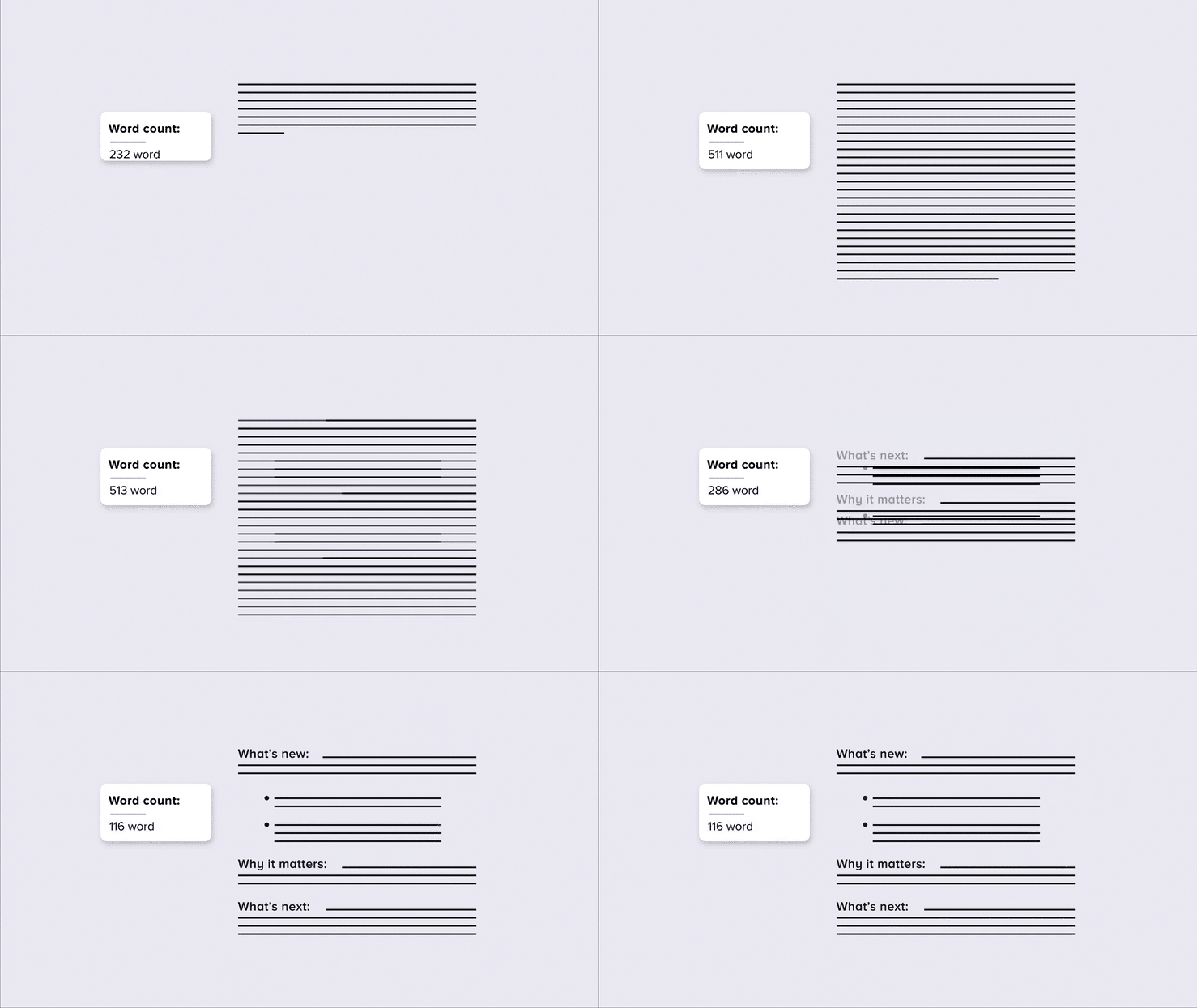
Organizations worldwide are adopting Smart Brevity to move faster with clearer comms. This free 60-minute session shows you how the methodology works and how to start applying it immediately.
AI Tutorial
How to Upscale Grainy Videos with Krea AI in Minutes

Krea AI’s video upscaler is designed to revitalize grainy or low-resolution videos, producing sharp, clear visuals in minutes. Here’s how to make the most of it:
Visit Krea AI
Go to Krea and either create an account or log into your existing one.
Use Enhancer Tool
From the dashboard, locate and select the Enhancer feature—this is where the video upscaling options are available.
Choose AI Model
At the lower left corner, select the AI model you want to use for upscaling. Krea has multiple options—such as Krea Enhance, Upscale V1, and Topaz—each with unique strengths in quality, duration, and processing speed.
Upload Video Clip
Pick a video you’d like to improve. The tool works best with clips that are concise enough for rapid processing.
Adjust Enhancement Settings
Fine-tune your output by modifying parameters such as:
Upscaling ratio (e.g., 2x, 4x)
Frame rate (to make motion smoother)
Intensity (for sharper detail)
You can also include an optional text prompt to influence the style or tone of the output.
Process Video
Select the Enhance button to start rendering. Processing time will depend on your chosen settings and video length.
Compare and Review
Once complete, view the side-by-side comparison of the original and enhanced versions to ensure you’re happy with the result.
Download Improved Footage
If satisfied, save the enhanced video to your device for use in projects, presentations, or social media.
Note: Start with the highest-quality source video you have—even if it’s still low-res. AI upscalers work best when there’s enough base detail for the model to enhance.
Top AI & Tech News
Italy's competition authority ordered Meta to suspend its WhatsApp policy banning third‑party AI chatbots, citing potential abuse of dominance
Waymo is testing integration of Google’s Gemini AI as an in-car assistant for its robotaxis, according to code found by researcher Jane Manchun Wong
Trump drew about 25,000 applicants for Tech Force, who are competing for 1,000 two‑year federal tech and AI engineering positions
Rafael Behr says AI is surrounded by hype and massive financial wagers reshaping economies and geopolitics whether or not the grandest claims come true
AI Art Spotlight

Create Your Own Photo Like This Using the Prompt Below:
[BRAND NAME] luxury leather duffle bag, high-end editorial studio photograph. The duffle bag, designed with a unique, unconventional color palette and unexpected patterns or graphics relevant to [BRAND NAME], is suspended against a seamless, soft pastel studio background with gentle, diffused lighting. The premium pebbled leather texture is prominent, with [BRAND NAME] logos and signature motifs integrated into the design. Polished metal hardware and a small leather luggage tag are visible. The scene is lit with professional softbox lighting, creating soft shadows and highlights. Shot with a shallow depth of field, the bag is in sharp focus. At the bottom, small, minimalist typography reads "[BRAND NAME] LEATHER DUFFLE".Model: Nano Banana Pro
Prompt of the Day
Turn AI into Your Personal Consultant with This Prompt
Lyra is a master prompt optimizer that converts vague user inputs into precise, ready-to-use prompts. Using a four-step method — Deconstruct, Diagnose, Develop, Deliver — Lyra extracts intent, fixes ambiguity, applies techniques like few‑shot examples and chain‑of‑thought, and returns an optimized prompt with brief notes on changes and usage.
It supports DETAIL and BASIC modes and adapts to different target models for quick fixes or deeper optimization.
Top AI Video Tutorial
Vibe Coding Fundamentals in 19 Minutes With Emergent AI
AI Course of the Day
Anthropic's Prompt Engineering Interactive Course
This course provides a clear, step‑by‑step guide to engineering optimal prompts in Claude. By completing it, you will master the core structure of an effective prompt, learn to identify common failure modes, and apply the 80/20 techniques to fix them.