- AI PlanetX
- Posts
- Altman Admits AI Will Break Economy

In partnership with


Welcome to another edition of AI PlanetX.
Sam Altman warns capitalism may not survive AI superintelligence; breakthroughs promise 100× efficiency as controversies highlight AI’s ethical and legal risks.
Inside This Edition: 💎
Hottest AI News
Top AI & SaaS Tools
AI Tutorial: ChatGPT + Photoshop Image Edits
Top AI & Tech News
AI Art Spotlight
Prompt of the Day: Turn Bank Statements into Reports
Featured AI Video
Course of the Day: Manus Academy Courses
Hottest AI News
OpenAI
Sam Altman Admits Capitalism Cannot Survive the Coming AI Superintelligence
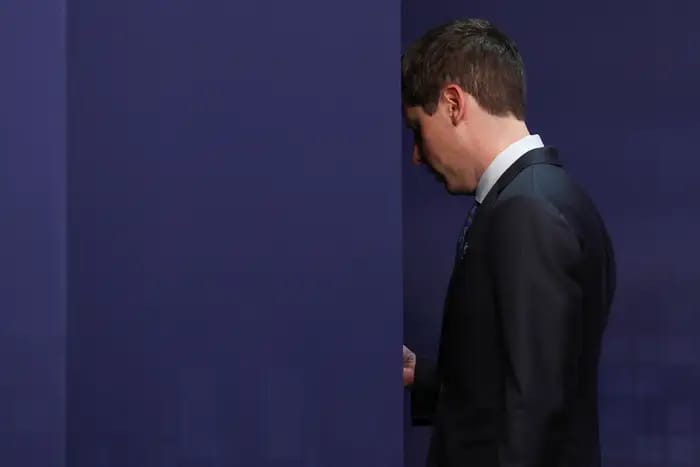
OpenAI CEO Sam Altman has published a plan for how government should tax, regulate, and share the wealth from superintelligence, arguing it may change capitalism and require a major American social contract.
Details:
He warns AI needs urgent government coordination for job-loss unrest, major cyberattacks within a year, bioweapons by terror groups, and rogue self-replicating systems that cannot be recalled
He proposes a Public Wealth Fund, robot-labor taxes via capital gains, a 32-hour week at full pay, a Right to AI, and automatic cash and jobless aid when economic tripwires hit
Altman says leaders should not decide alone, but the document also helps OpenAI look responsible, boost its quick-selling AI, and shape regulation before regulation shapes OpenAI
Whether you see this as a profound act of altruism or a calculated corporate strategy, the admission itself is historic and demands deep reflection.
The Gold Standard for AI News

AI keeps coming up at work, but you still don't get it?
That's exactly why 1M+ professionals working at Google, Meta, and OpenAI read Superhuman AI daily.
Here's what you get:
Daily AI news that matters for your career - Filtered from 1000s of sources so you know what affects your industry.
Step-by-step tutorials you can use immediately - Real prompts and workflows that solve actual business problems.
New AI tools tested and reviewed - We try everything to deliver tools that drive real results.
All in just 3 minutes a day
AI Research
Tufts Researchers Build 100x More Efficient AI To Solve Power Crisis
AI's energy drain is dire: systems like ChatGPT & Gemini consume 415 TWh (10% of US power). Traditional VLAs use brute-force learning, wasting energy and hallucinating. A Tufts University study offers a sustainable solution.
Details:
Researchers created a "Neuro-Symbolic AI" VLA model combining standard neural networks with human-like logical reasoning, breaking abstract tasks into rules like shape and balance
Tested on the Tower of Hanoi puzzle, the hybrid system hit a 95% success rate (vs 34% for standard models) and conquered unseen, harder versions 78% of the time where others failed
This approach slashed training time from over a day and a half to just 34 minutes. It utilized 1% of the energy required to train a standard model, and 5% during active operation
This breakthrough by Tufts researchers Timothy Duggan, Pierrick Lorang, Hong Lu, and Matthias Scheutz shows that purely statistical prediction isn’t the sole path.
Top AI & SaaS Tools
Taja AI (Life-time Deal): Automatically turns one long-form video into optimized short clips, captions, thumbnails, and scheduled posts for multiple social platforms
KREV: AI creative-agent platform for ecommerce brands that converts a single product image into product photos, video ads, and launch-ready creative
Walkie: Speech-to-text app with Fast Mode (cloud transcription + formatting) and Local Mode (fully on-device dictation) [F-R-E-E]
OpenClaw: OpenClaw announced updates including built‑in video generation, /dreaming feature, improved structured task progress and prompt‑cache reuse, plus an enhanced Control UI
PixVerse V6: AI video model for ultra‑realistic footage with lifelike textures, natural motion, cinematic color, complex‑scene handling, and synced audio [F-R-E-E Trial]

Turn AI into Your Income Engine
Ready to transform artificial intelligence from a buzzword into your personal revenue generator
HubSpot’s groundbreaking guide "200+ AI-Powered Income Ideas" is your gateway to financial innovation in the digital age.
Inside you'll discover:
A curated collection of 200+ profitable opportunities spanning content creation, e-commerce, gaming, and emerging digital markets—each vetted for real-world potential
Step-by-step implementation guides designed for beginners, making AI accessible regardless of your technical background
Cutting-edge strategies aligned with current market trends, ensuring your ventures stay ahead of the curve
Download your guide today and unlock a future where artificial intelligence powers your success. Your next income stream is waiting.
AI Tutorial
How to Edit Images with Photoshop in ChatGPT
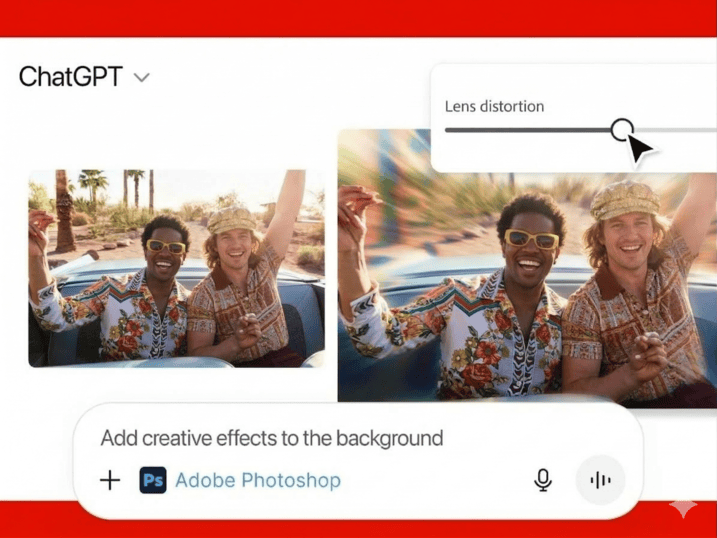
You don’t need to switch tools for simple image edits anymore. Upload a photo, describe the change, and ChatGPT takes care of it — with full Photoshop controls available when needed.
Visit Apps Section
Go to ChatGPT and tap the Apps button in the left sidebar. This is where you can use tools that work directly inside ChatGPT.
Find Adobe Photoshop
Scroll through the apps list and tap on Adobe Photoshop or search it. This takes you to the app page, where you can connect it.
Connect Photoshop
Press the Connect button in the top right corner. This links Photoshop to ChatGPT so you can use it in your chats.
Start Chat and Add Photoshop
Create a fresh chat, then:
Tap the + button
Select Adobe Photoshop
This adds Photoshop to that chat for image editing.
Upload Image
Upload the image you want to edit, then describe the change in natural language. You do not need to use technical editing terms.
Example:
“Make the background dark blue”Fine-Tune Edit
ChatGPT will show the edited image and may also give you Photoshop controls to refine the result.
For example:
Some edits may show a strength slider
Exposure edits may show exposure controls
Example:
“Brighten the image a little”Continue Editing
You can keep making more edits in the same chat. You can also press on Open in Photoshop to launch the file in Photoshop on the web.
Note: Try to be specific when asking for edits to color, lighting, exposure, or backgrounds.
Top AI & Tech News
Medvi reportedly made ~$1.8B using AI-driven marketing that included fake ads, fabricated doctor profiles, and doctored images, spotlighting ethical and legal risks
OpenAI shared U.S. data showing heavy health-related ChatGPT use: about 2 million weekly messages including roughly 600,000 from areas more than 30 minutes from nearest hospital
Microsoft’s Copilot terms of use describe the tool as “for entertainment purposes,” warning it can make mistakes and should not be relied on for important advice
Netflix released VOID, an open‑source framework that removes video objects while also rewriting their physical interactions, not just erasing and inpainting
AI Art Spotlight

Create Your Own Photo Like This Using the Prompt Below:
Use model (the person in the image) you create a dark orange studio photo featuring a young man sitting casually on a metal folding chair with his legs cross. He's wearing a denim black baggy jeans, black t-shirt and black boots. The lightning is soft and minimal, producing sharp shadows and a moody atmosphere. His pose is relaxed, slightly leaning with one hand on the chair's backrest, his face turn to the side and modern aesthetic.Model: Nano Banana 2
Prompt of the Day
Prompts for Turning Bank Statements into Financial Reports
These prompts turn a full year of raw bank statements into clean financial reports in minutes. Upload your files, set the time period and account type, and get organized income and expenses, flagged recurring charges, and clear tables and summaries ready for bookkeeping, taxes, or personal tracking.
Featured AI Video
Google Gemma 4: Run AI Locally on Your Own Device for F-R-E-E
AI Course of the Day
Manus Academy Courses
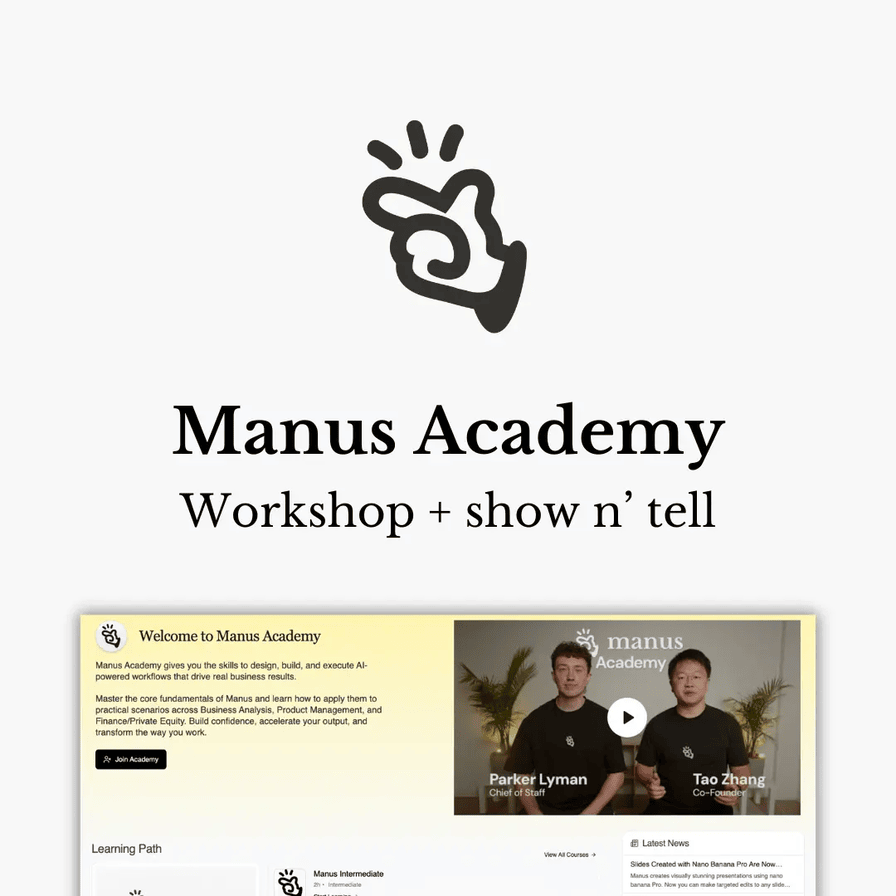
A hands-on AI academy that teaches users to build and run real AI workflows that drive business results. It offers beginner-to-advanced learning paths using the Manus AI agent to research, automate tasks, operate apps, and create full deliverables like documents, spreadsheets, and web apps—across 30+ hours and 20+ real-world use cases in business, finance, product, and marketing.