- AI PlanetX
- Posts
- Anthropic Restricts OpenClaw Usage

In partnership with


Welcome to another edition of AI PlanetX.
Anthropic charges extra for Claude tools; OpenAI unveils major image upgrade; Japan turns to physical AI to tackle labor shortages.
Inside This Edition: 💎
Hottest AI News
Top AI & SaaS Tools
AI Tutorial: Improve Attention on Webpage
Top AI & Tech News
AI Art Spotlight
Prompt of the Day: Master Prompt Engineering
Featured AI Video
Weekly Creator Playbooks to Grow on Social
Hottest AI News
Anthropic
Anthropic Makes Claude Users Pay Extra for OpenClaw and External Tools
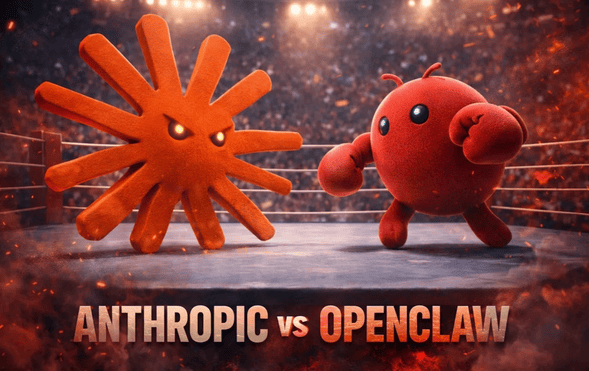
Anthropic has announced a controversial pricing shift for Claude Code subscribers using third-party tools, sparking a public dispute with OpenClaw’s creator and highlighting the escalating competition with rival OpenAI.
Details:
Claude Code users must pay separately for OpenClaw starting April 4, with the policy soon expanding to all third‑party harnesses. Creator Cherny said subscriptions weren’t built for these tools and offered refunds
OpenClaw creator Peter Steinberger criticized the move, saying efforts to change Anthropic’s mind delayed it by a week. He also accused the company of copying open source ideas before shutting them out
Cherny denied that, saying his team supports open source and helped improve OpenClaw. Meanwhile, OpenAI is chasing the same devs and shifted compute away from Sora to compete more directly
This pricing update underscores tight compute limits, as Anthropic and OpenAI escalate a ruthless fight for developers.
Want to get the most out of ChatGPT?
ChatGPT is a superpower if you know how to use it correctly.
Discover how HubSpot's guide to AI can elevate both your productivity and creativity to get more things done.
Learn to automate tasks, enhance decision-making, and foster innovation with the power of AI.
OpenAI
OpenAI Reportedly Revealed Its Massive Image Upgrade on LMSYS
Generated by GPT-Image-2
OpenAI’s GPT-Image-2 has surfaced on the LMSYS Arena under anonymous codenames, delivering a massive leap in image generation that already outclasses current leaders and comes just months after last release.
Details:
It appeared as maskingtape-alpha, gaffertape-alpha, and packingtape-alpha, then vanished after testers linked it to OpenAI. The model seems built on GPT Image 1.5, with better instruction following, cleaner edits, and 4x faster gen
Blind tests suggest near-real photorealism, strong text rendering, and solid results on complex prompts like UI mockups, Minecraft scenes, handwritten notes, comics, and game screens
Reaction on X has been intense, with many praising the detail and saying it beats Nano Banana Pro overall. A few minor issues remain, but an official launch seems close and may arrive with the GPT-5 family
The sheer leap in quality and prompt understanding shown here confirms OpenAI’s relentless drive to dominate multimodal AI.
Top AI & SaaS Tools
Charla (Life-time Deal): AI customer support platform that automates inquiries with trained chatbots, consolidates tickets across channels, and hands off complex cases to live agents
Dokie: AI-powered presentation agent and PPT maker that automates creation, conversion, and editing of professional slides [F-R-E-E]
PetClaw: Local, privacy-first desktop AI pet for Mac and Windows that offers voice interaction, persistent memory, and versatile productivity help with one-tap setup [F-R-E-E]
DetectArena: Checks whether text is AI-generated by running multiple detectors and letting users compare and verify their results [F-R-E-E]
Google Vids: Google added Veo 3.1 and Lyria 3, bringing high-quality video generation, directable avatars, and easy capture and export, with Pro Ultra unlocking advanced controls [F-R-E-E]
2026’s biggest media shift
Attention is the hardest thing to buy. And everyone else is bidding too.
When people are scrolling, skipping, swiping, and split-screening their way through the day, finding uninterrupted moments where your audience is truly paying attention is the priority.
That’s where Performance TV stands out.
Check out the data from 600+ marketers on the most effective channels to capture audience attention in 2026.
AI Tutorial
How to Run an Attention Audit on Your Webpage

If your hero section isn’t converting, it’s usually not a copy or color issue. It’s an attention problem. People are looking at the wrong things first. This tutorial shows you how to predict where eyes go on your page.
Set hero’s single goal
Decide the one action you want visitors to take in the hero section (your primary CTA).
Example: increase engagement on “Start Trial”.
Sign in and prep for clean redesign
Sign in to Google Stitch. You’ll later start a fresh session for the redesign (Web design).
Capture above-the-fold screenshot
Grab a screenshot of your hero section (just above the fold). Try to capture it in a realistic view.
Use a common laptop viewport
Include headline, subtext, CTA button, and hero visual
Generate predictive attention heat map
Go to Google’s AI Studio and generate a heat map using your screenshot. Update the CTA text to match your site.
Prompt example:
“Create a predictive attention heat map overlay for this landing page hero screenshot. Indicate where first-time visitors are most likely to look in the first 3–5 seconds. Highlight the highest-attention zones and identify elements pulling attention away from the primary CTA button labeled ‘Start Trial’.”Review what’s stealing attention
Look for whether the CTA is getting attention, and what elements (images, badges, nav, extra links) are competing.
Redesign in Google Stitch
Begin a Google Stitch session, toggle to start with a Web design, then add both your original screenshot and the heat map.
Prompt example:
“Analyze the hero screenshot alongside its predictive attention heat map. Redesign the hero section to increase clicks on the primary CTA ‘Start Trial’. Use the heat map insights to reduce distractions, improve visual hierarchy, and focus attention on the headline, support line, and CTA while keeping the brand style consistent.”Compare and iterate
Compare original vs. redesign: does the eye land on the CTA quicker and more clearly? If not, run one more iteration with a tighter instruction like:
“Make the CTA more dominant without changing copy.”
Note: Put your strongest proof closest to the CTA (one short line, one badge, or one stat), not a full list.
Top AI & Tech News
Japan is rapidly deploying physical AI—AI-powered robots and autonomous systems—to fill jobs few want and to counter severe labor shortages
Mercor, an AI training-data provider, suffered a security breach that exposed sensitive AI industry information, prompting Meta to pause work with the company
Teens are interacting with and sometimes mistreating role-playing chatbots—confiding in them, dating them, or torturing them
China’s AI company DeepSeek will run its upcoming V4 model on latest chips designed by Huawei
AI Art Spotlight

Create Your Own Photo Like This Using the Prompt Below:
Split-style image with the subject divided vertically. LEFT: realistic photo with natural light, clear details, slight enhancement, and subtle doodle outlines. RIGHT: stylized cartoon version, same pose and expression, clean lineart, soft shading, vibrant or pastel colors, with small decorative doodles. Keep original background. Add a torn or glitch split. Modern, soft lighting, aesthetic, ultra-detailed.Model: Grok Imagine
Prompt of the Day
How to Master Prompt Engineering
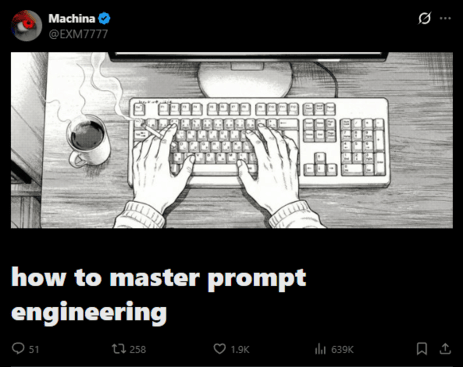
A practical guide to prompt engineering that strips away myths and focuses on the real work: thinking clearly before you ever type. It explains why most prompts fail, how vague mental models create vague outputs, and how precision, context, task design, examples, constraints, and role framing combine to produce consistently strong results.
Featured AI Video
Claude + Canva: Design Anything in Minutes — Even If You Can’t Design
Want Weekly Creator Playbooks to Grow on Social?

Want to stand out and grow your social presence? Join 10K+ creators getting weekly playbooks to build a creator business that pays.
Unlock $10,000+ Worth of F-R-E-E Creator Blueprints, including: 👇
|
|