- AI PlanetX
- Posts
- Google Launches Gemini Mac App

In partnership with


Welcome to another edition of AI PlanetX.
Google unveils Gemini app for Mac, Anthropic finally releases Claude Opus 4.7, Canva brings advanced AI features in latest update.
Inside This Edition: 💎
Hottest AI News
Top AI & SaaS Tools
AI Tutorial: Prepare Taxes Using TurboTax
Top AI & Tech News
AI Art Spotlight
Prompt of the Day: Prompt to Improve Code Clarity
Featured AI Video
Weekly Creator Playbooks to Grow on Social
Hottest AI News
DeepMind
Google Launches Gemini Mac App for Desktop AI Support

Google has launched a dedicated Gemini app for Mac, letting users summon a floating AI chat from anywhere on desktop with Option + Space, ask questions, and share live windows without breaking workflow flow.
Details:
Before window sharing, Gemini asks for system permission, then reads what’s on screen to answer in context. The floating chat bubble keeps it ready from anywhere, making multitasking smoother
The app mirrors Apple’s upgraded Spotlight feel and puts Google closer to OpenAI, Anthropic, and Perplexity. Still, ChatGPT and Claude go further with stronger computer task actions
It also supports file, photo, and document uploads from Mac or Google Drive, plus image, video, and music generation. Past Google account chats sync in, following Windows’ rollout a day earlier
Available at no cost in all supported languages and countries, the Mac app works on macOS Sequoia 15.0 and later, strengthening Google’s desktop AI push.
The ones showing up in LLMs convert 3× better than Google

They optimized for LLMs, not just Google.
FAQs. Comparison pages. Transparent pricing. LinkedIn presence. These aren't vanity plays. They're what gets you cited in ChatGPT, Gemini, and Claude when your buyers are researching, your investors are looking, and your future hires are deciding where to work.
Download the free AEO Playbook for Startups from HubSpot and get the exact checklist. Five minutes to read.
Anthropic
Anthropic Unveils Claude Opus 4.7 While Mythos Stays Locked
Anthropic has introduced Claude Opus 4.7 as its latest public model upgrade, sharpening coding, reasoning, and design execution, while its far more powerful Mythos system remains tightly restricted.
Details:
Claude Opus 4.7 is generally available, bringing major gains in advanced software engineering, stronger instruction following, sharper long-task reliability, and much better self-verification
It enhances multimodal performance with high-res images up to 2,576 pixels, improves long-session memory, and delivers refined interfaces, slides, docs, finance analysis, and agentic workflows
Anthropic is also using Opus 4.7 as its first broad cyber-safeguard rollout model, while keeping pricing unchanged and shipping it across Claude, API, Bedrock, Vertex AI, and Microsoft Foundry
Anthropic is separating commercial productivity models from frontier high-risk systems, signaling a future where public AI improves fast while top-tier capabilities stay selectively gated.
Top AI & SaaS Tools
vidBoard (Life-time Deal): Converts documents, URLs, or plain text into polished, multilingual AI avatar videos with lip-sync, captions, and a Canva-style editor
Midjourney V8.1: Renders 2K HD images natively at 3x V8 speed and cost, with image prompts, an updated Describe tool, moodboards, and restored srefs [F-R-E-E]
Mumble: Voice-first Mac app for local meeting recording (no bots in calls), live transcripts with speaker labels, AI summaries and action items, dictation & voice memos, plus customizable templates [F-R-E-E]
Playbook Intelligence: Chat with your files in one place to quickly find, organize, edit in bulk, create share links, and send to clients [F-R-E-E]
Astra: Provides a turnkey data-blinding platform that tokenizes sensitive data (PHI, PCI, PII) before any AI agent sees it [F-R-E-E]
3,000+ AI tools. 1000+ prompts. All from one newsletter.
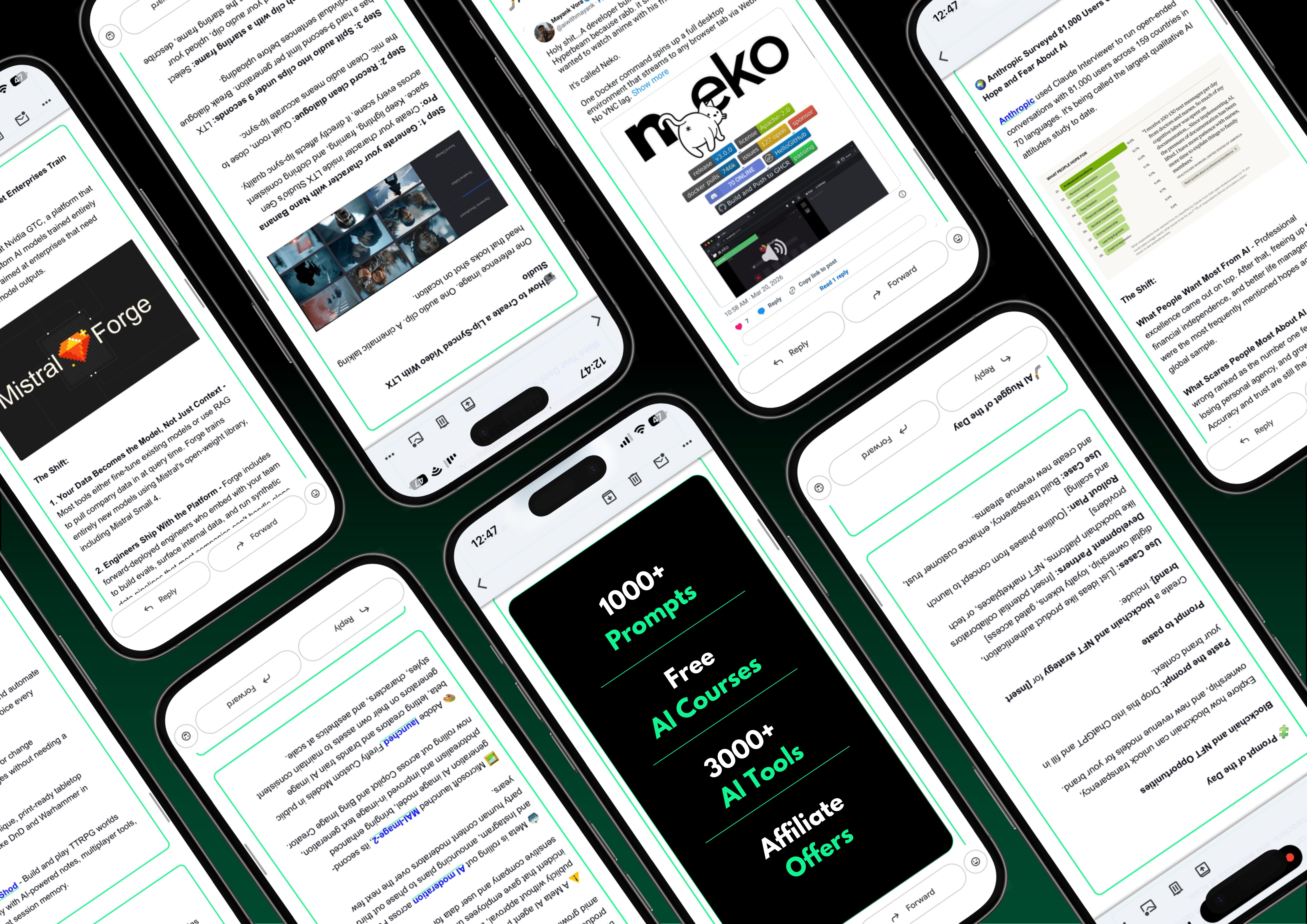
Most AI resources are scattered, untested, or buried behind a paywall.
The Shift puts it all in one free newsletter, covering what’s new, and what practically works under 5 minutes a day.
A vault of 3,000+ vetted tools so you’re never guessing. A 1000+ prompt library for every use case you’ll actually hit and free AI courses that make sure nothing stays theoretical.
Plus, right now, 3 subscribers win a free 1-year Claude Pro subscription just for signing up.
AI Tutorial
How to Prepare Your Taxes Using AI-Powered TurboTax
TurboTax’s AI integrations with Claude and ChatGPT make tax prep easier by combining expert tax guidance with advanced AI. You can use it to estimate refunds, understand forms, and prepare documents before filing.
See what it helps with
Intuit has partnered with Anthropic and OpenAI to combine TurboTax’s tax expertise with advanced AI. This helps users:
estimate refunds
check what they may owe
understand forms before filing
Choose where you want to use it
You can use TurboTax’s AI-powered tax help in either:
Claude, through the TurboTax Claude Connector
ChatGPT, through the Intuit TurboTax app
Set up TurboTax connector in Claude
To start in Claude:
Sign in to your Claude account
Go to the left sidebar and tap Customize
Launch Connectors
Search for TurboTax
Press Connect
Start with Claude prompt
Begin with a practical question that helps you prepare before filing.
For example:
“Can you help me understand which tax forms I’ll need for freelance income and deductions?”Connect TurboTax app in ChatGPT
The setup process in ChatGPT is very similar:
Sign in to ChatGPT
In the left sidebar, enter Apps
Search for Intuit TurboTax
Tap Connect Intuit TurboTax
Use better ChatGPT starter prompt
Once connected, try a prompt focused on preparation.
Example:
“Help me create a checklist of the income statements, deduction records, and receipts I should collect before filing my taxes.”
Note: Gather your key documents first—income forms, deduction receipts, and prior-year returns—so the AI can help you more effectively.
Top AI & Tech News
Canva’s AI 2.0 update turns the platform into a conversational, prompt-driven design tool that lets users create and edit content through natural language
Runway CEO Cristóbal Valenzuela suggests that AI could revolutionize Hollywood by enabling studios to produce many more films with the same budget as one blockbuster, increasing the chances of success
Anthropic plans to expand in London with office space for 800 people in the Knowledge Quarter, after OpenAI announced its first permanent London office
GPT-5.4 Pro proved a 60-year-old math problem, uncovering a path humans missed for decades, said mathematician Jared Lichtman
AI Art Spotlight
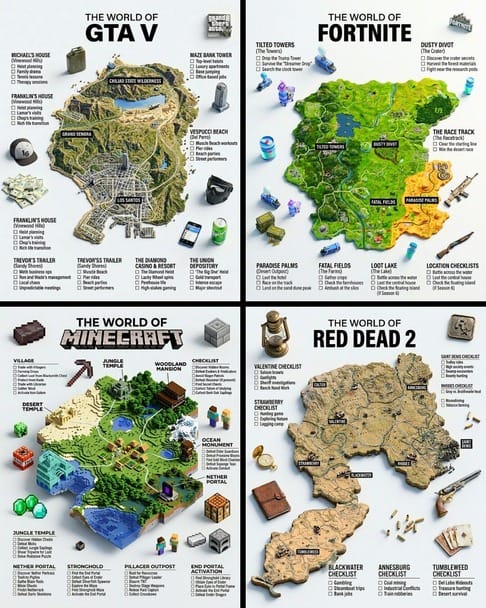
Create Your Own Guide Photo Like This Using the Prompt Below:
A hyper-realistic 3D game guide infographic poster for [GAME]. The in-game world of [GAME] is rendered as a raised, textured terrain map floating on a clean light gray surface — the map shape and landscape must reflect the actual geography and visual aesthetic of [GAME] (urban, western, fantasy, island etc). Iconic in-game locations from [GAME] are placed as miniature 3D sculpted models at their correct in-game positions across the map — each one highly detailed, photorealistic and instantly recognizable to fans. Roads or paths connect key locations as white lines across the terrain. Around the map, floating 3D decorative props and items iconic to [GAME] are scattered on the light gray surface. The official logo of [GAME] is shown as a small detailed object in the upper right corner. Each major location has a bold black label on the map, and beside the map, each location has a neat checklist of its most iconic moments or activities associated with that place, in clean sans-serif typography. A large bold title at the top reads: “THE WORLD OF GAME” in black uppercase typography with [GAME] in heavy bold. The overall aesthetic is premium editorial — soft studio lighting, photorealistic 3D render, white/light gray background, clean layout, 4:5 aspect ratioModel: Nano Banana 2
Prompt of the Day
Prompt to Eliminate AI Slop and Improve Code Clarity
This prompt deploys 8 specialized subagents to systematically clean up a messy codebase — tackling deduplication, type consolidation, dead code removal, circular dependencies, weak types, unnecessary error handling, legacy code, and AI-generated slop, with each agent researching, auditing, and implementing fixes autonomously.
Featured AI Video
Make Your AI Films Dangerously Realistic
Want Weekly Creator Playbooks to Grow on Social?

Want to stand out and grow your social presence? Join 10K+ creators getting weekly playbooks to build a creator business that pays.
Unlock $10,000+ Worth of F-R-E-E Creator Blueprints, including: 👇
|
|