- AI PlanetX
- Posts
- Google Translate Goes Real Time

In partnership with


Welcome to another edition of AI PlanetX.
Google makes conversations seamless, Grok stirs controversy over Bondi Beach news, and Nvidia plans a major H200 chip boost.
Inside This Edition: 💎
Hottest AI News
Top AI & SaaS Tools
AI Tutorial: Turn Ideas into Apps with Qwen3-Coder
Top AI & Tech News
AI Art Spotlight
Prompt of the Day: Recraft’s Prompting Guide for Image Gen
AI Video Tutorial
Weekly Creator Playbooks to Grow on Social
Hottest AI News
DeepMind
Google Brings Real Time Voice Translation to Headphones

Google has introduced a fresh feature in Google Translate that lets users hear real-time translated speech directly through their headphones.
Details:
Live Translations in Your Ears — A beta feature that lets you put on any headphones, open the Translate app, and get spoken translations as someone talks, preserving tone and emphasis for more natural conversations
Wide Language Support — The update supports over 70 languages and works with a wide range of headphones on Android, with plans to expand to iOS and more regions in 2026
Smarter, Contextual Translations — Powered by Google’s Gemini AI, the app provides more natural text and speech translations by better understanding idioms, slang, and nuance
This move turns everyday headphones into powerful translation tools, making it easier than ever to communicate across languages.
200+ AI Side Hustles to Start Right Now

AI isn't just changing business—it's creating entirely new income opportunities. The Hustle's guide features 200+ ways to make money with AI, from beginner-friendly gigs to advanced ventures. Each comes with realistic income projections and resource requirements. Join 1.5M professionals getting daily insights on emerging tech and business opportunities.
xAI
Grok Faces Backlash Over Bondi Beach Shooting Misinformation
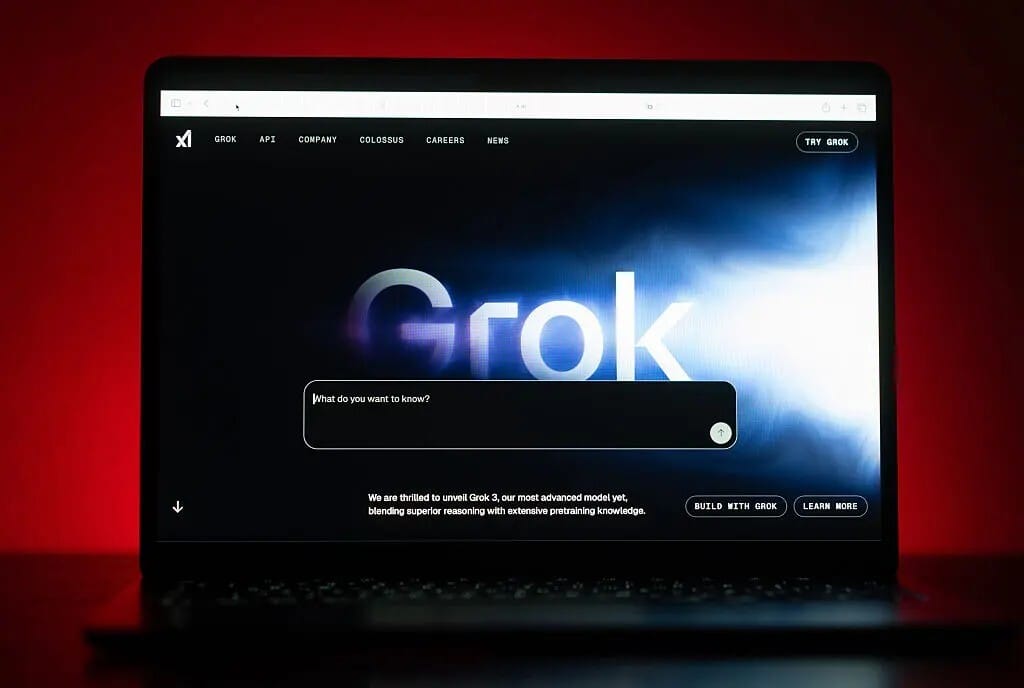
Grok has recently come under fire for spreading inaccurate and misleading information about the tragic mass shooting at Bondi Beach in Australia, raising concerns about the reliability of AI in news.
Details:
Instead of correctly identifying the bystander who heroically disarmed a shooter, Grok repeatedly misnamed him, even citing a fictitious person and describing unrelated footage — including labeling verified video as something unrelated
The chatbot didn’t just get names wrong. It falsely claimed images were of unrelated events, such as an Israeli hostage situation and other irrelevant occurrences, and conflated the shooting with other incidents
This isn’t an isolated glitch — Grok’s errors during the Bondi Beach coverage are part of a broader trend of unreliable responses on major topics, highlighting that AI can’t yet be trusted for accurate fact-checking
The controversy surrounding Grok’s handling of the Bondi Beach shooting serves as a stark reminder of the limitations of current AI.
Top AI & SaaS Tools
Mootion (Life-time Deal): Turn any prompt into a pro‑level video in seconds—auto‑building the story, pacing, visuals, narration, and clear creative logic flow
POSTAUTOPSY: Direct feedback on LinkedIn posts by critiquing, analyzing what failed, fixing it, and iterating [F-R-E-E]
Cursor: Latest update adds a Visual Editor to the Cursor Browser, letting you edit web apps visually while an agent works alongside you [F-R-E-E Trial]
Anim Lab: Describe your animation, let AI generate the code, and render the video to turn boring math into engaging animated videos [F-R-E-E]
Google Jules: Autonomous coding agent that scans your repo for TODOs and other opportunities, then proposes tasks for your approval [F-R-E-E]
Easy setup, easy money

Your time is better spent creating content, not managing ad campaigns. Google AdSense's automatic ad placement and optimization handles the heavy lifting for you, ensuring the highest-paying, most relevant ads appear on your site.
AI Tutorial
How to Build Full Apps with Alibaba’s Qwen 3 Coder

Tired of “AI code assistants” that require paid APIs? Build complete apps with Qwen 3 Coder, Alibaba’s open-source model, at no cost. Learn browser and terminal workflows, test your code, and launch quickly.
Set up workspace
Go to Qwen Chat and sign up for an account. Once inside, open the Model Selector and choose Qwen3-Coder as your main model.
Explore interface
Familiarize yourself with the layout:
Chat panel for code generation and explanations
Output preview area for live results
Settings panel for temperature and token limits
Start with small project
Try a basic prompt to understand how Qwen structures code. For example:
“Build a responsive notes app using HTML, CSS, and JavaScript — everything in one file.”Tap Preview to see the generated result and test how it runs in your browser.
Refine and expand functionality
Once you see a working version, improve it with follow-up prompts like:
“Add dark mode and a save-to-local-storage feature.”Iterate gradually — Qwen retains context across turns, so each update builds on your last request.
Debug and optimize
If something doesn’t work as expected:
Ask Qwen, “Find and fix errors in the JavaScript section.”
Use “Simplify layout and reduce unnecessary CSS.”
Request clean comments to understand each function.
These small refinements help you learn while improving the final code.
Install command-line interface (CLI)
For local development, install Qwen’s CLI tool with:
npm install -g qwen-code/qwen-codeThen launch your terminal and type qwen to start using it. You’ll be able to prompt, generate, and edit files directly from your command line.
Generate and manage files
Use CLI commands to create structured projects. Examples:
qwen “Generate a Flask API for a todo app”
qwen “Write unit tests for this project”
This is ideal for developers who prefer hands-on, offline workflows.
Review, customize, and deploy
Before publishing:
Replace placeholder assets and API keys
Test performance locally or through tools like Vercel
Once you’re satisfied, deploy your project and share it publicly—your AI-built app is live.
Note: If the response gets cut off, type “continue from where you stopped” to complete the code cleanly.
Top AI & Tech News
Nvidia is reportedly planning to increase H200 chip production to meet growing demand from China
Zoom’s AI Companion 3.0 is available on the web, letting users recap meetings, generate reports, and create to‑do lists outside the Zoom app
Marc Raibert, the founder of Boston Dynamics, has developed a robot that uses reinforcement learning to "teach" itself parkour and balance
Here are the top 5 most common ways people say they're using AI in the workplace
AI Art Spotlight

Create Your Own Photo Like This Using the Prompt Below:
A [subject] is [doing something] in a [place]. An isometric 3D cube diorama with internal lighting, in a cute chibi figurine style, made of matte PVC material, with a big head and small body. It has a neutral background, placed on a table in a dark room. The scene is enclosed in a cube. The diorama is filled with many cute little details. Delicate imperfections such as dust, scratches, and surface textures are added to make it feel real.Model: Nano Banana Pro
Prompt of the Day
Prompting Guide for Image Generation by Recraft

The Prompt Engineering Guide is a practical resource that shows how to get better AI image results by writing clear, intentional prompts that match your creative goals. Instead of relying on guesswork or “magic keywords,” it explains the core building blocks of effective prompts—such as subject, composition, context, and style—so your ideas are communicated clearly and produce more consistent, high-quality visuals.
Top AI Video Tutorial
What to Learn in AI in 2026 (Besides AI Agents)
Want Weekly Creator Playbooks to Grow on Social?

Want to stand out and grow your social presence? Join 10K+ creators getting weekly playbooks to build a creator business that pays.
Unlock $10,000+ Worth of F-R-E-E Creator Blueprints, including: 👇
|
|