- AI PlanetX
- Posts
- Meta Launches Muse Spark

In partnership with


Welcome to another edition of AI PlanetX.
Meta launches Muse Spark and expands its AI ecosystem; OpenAI preps a Claude-like cyber model; Anthropic rolls out Claude Managed Agents beta.
Inside This Edition: 💎
Hottest AI News
Top AI & SaaS Tools
AI Tutorial: Build Full Apps with Qwen
Top AI & Tech News
AI Art Spotlight
Prompt of the Day: Andrej Karpathy’s Prompt System
Featured AI Video
Weekly Creator Playbooks to Grow on Social
Hottest AI News
Meta
Meta Launches Muse Spark and Deepens Its AI Ecosystem Push
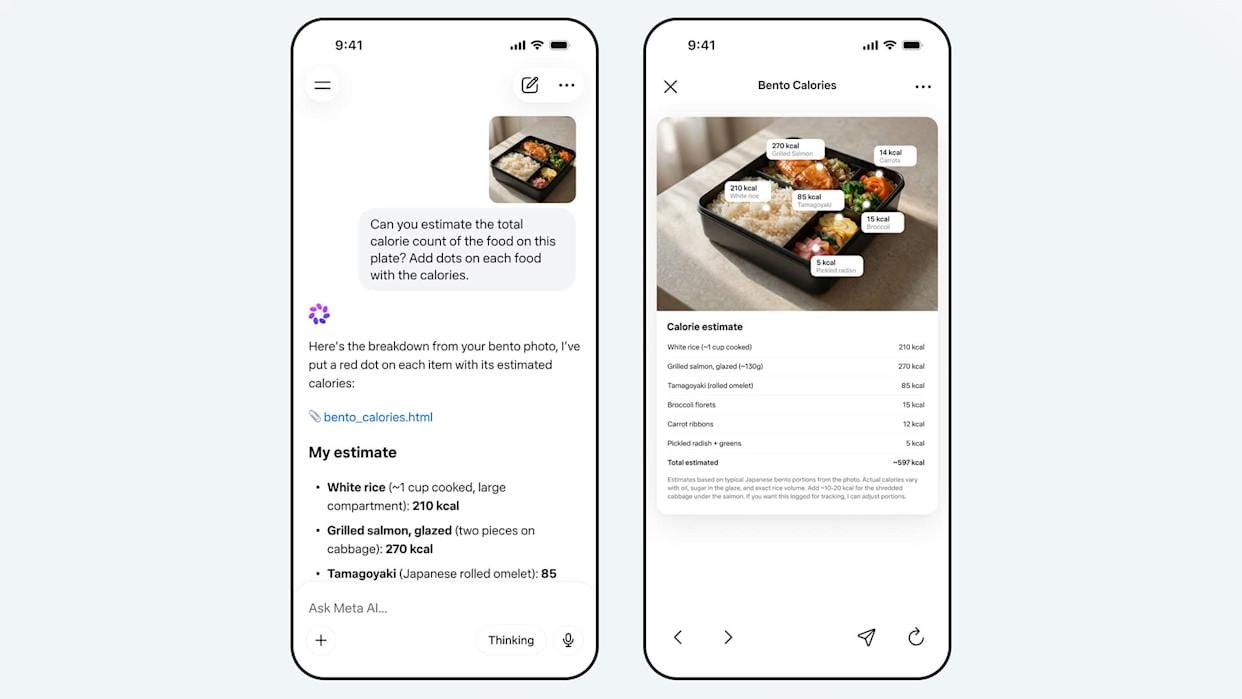
Meta just launched Muse Spark, the first major AI model from its rebuilt superintelligence push. It powers Meta AI, stays closed source currently, and raises pressure on OpenAI, Google, and Anthropic worldwide.
Details:
Muse Spark is the first model from Meta Superintelligence Labs after Meta rebuilt its AI stack over nine months and spent heavily on talent, including the $14.3 billion Scale AI deal led by Alexandr Wang
It powers Meta AI app with rollout planned for WhatsApp, Instagram, Facebook, Messenger, and AI glasses. Meta says it is small and fast, but built for reasoning, multimodal work, and subagents
Unlike Llama, Muse Spark is not open source, though Meta says future versions may be. Meta also says it used physician-curated health data and added stronger safeguards
Meta is shifting from downloadable models to controlling the full AI layer across its apps, devices, partner APIs, and future agents.
Master Claude AI (Free Guide)
The professionals pulling ahead aren't working more. They're using Claude.
Our free guide will show you how to:
Configure Claude to be the perfect assistant
Master AI-powered content creation
Transform complex data into actionable strategies
Harness Claude’s full potential
Transform your workflow with AI and stay ahead of the curve with this comprehensive guide to using Claude at work.
OpenAI
OpenAI Prepares a Cyber Model Similar to Claude Mythos

OpenAI is reportedly finalizing a cybersecurity product for a small partner group, showing how far AI hacking capability has advanced and why labs already fear a broad release could create serious risk.
Details:
OpenAI signaled this shift in February through its invite-only Trusted Entry for Cyber pilot after GPT-5.3-Codex, giving approved groups more permissive cyber models and $10 million in API credits
Anthropic is taking a similar path with Mythos Preview, limiting use to selected tech and cybersecurity firms over fears of advanced hacking use. Experts call it a major shift in model rollout
Officials and security leaders warn such models could threaten water, power, and finance. Yet experts say there is no going back, because models can already find bugs, exploits, and similar paths
Spud model is separate and its cyber strength is still unclear. AISLE says public models already find some flaws Mythos found, so this is more delay than containment.
Top AI & SaaS Tools
Blip AI (Life-time Deal): Turns your voice into polished, formatted text for any app via a single hotkey, removing filler words and supporting 99+ languages [Wispr Flow alternative]
Brila: Use Jobs To Be Done to turn Google Maps reviews into clear website messaging that attracts the right customers [F-R-E-E]
Career-Ops: Runs your job search as one system—finds roles, creates tailored CVs and PDFs, and manages everything from one dashboard
Flint AI: Builds and automatically updates on-brand landing pages for marketing campaigns using AI, so teams can launch and optimize websites without coding
Avatar V: Creates consistent, lifelike videos from a single 15‑second recording, outperforming competitors in blind tests and objective benchmarks for identity, sync, motion, and visual quality
Are you tracking agent views on your docs?

AI agents already outnumber human visitors to your docs — now you can track them.
AI Tutorial
How to Build Full Apps with Alibaba’s Qwen 3 Coder

Tired of “AI code assistants” that require paid APIs? Build complete apps with Qwen 3 Coder, Alibaba’s open-source model, at no cost. Learn browser and terminal workflows, test your code, and launch quickly.
Set up workspace
Go to Qwen Chat and sign up for an account. Once inside, open the Model Selector and choose Qwen3-Coder as your main model.
Explore interface
Familiarize yourself with the layout:
Chat panel for code generation and explanations
Output preview area for live results
Start with small project
Try a basic prompt to understand how Qwen structures code. For example:
“Build a responsive notes app using HTML, CSS, and JavaScript — everything in one file.”Tap Preview to see the generated result and test how it runs in your browser.
Refine and expand functionality
Once you see a working version, improve it with follow-up prompts like:
“Add dark mode and a save-to-local-storage feature.”Iterate gradually — Qwen retains context across turns, so each update builds on your last request.
Debug and optimize
If something doesn’t work as expected:
Ask Qwen, “Find and fix errors in the JavaScript section.”
Use “Simplify layout and reduce unnecessary CSS.”
These small refinements help you learn while improving the final code.
Install command-line interface (CLI)
For local development, install Qwen’s CLI tool with:
npm install -g qwen-code/qwen-codeThen launch your terminal and type qwen to start using it. You’ll be able to prompt, generate, and edit files directly from your command line.
Generate and manage files
Use CLI commands to create structured projects. Examples:
qwen “Generate a Flask API for a todo app”
qwen “Write unit tests for this project”
Note: If the response gets cut off, type “continue from where you stopped” to complete the code cleanly.
Top AI & Tech News
Anthropic launched a public beta of Claude Managed Agents, letting developers turn agent ideas into live products in days by handling the backend work for them
Musk revised his OpenAI lawsuit to route any damages to the nonprofit and seek Altman’s removal from the board; OpenAI called it a “harassment campaign”
Perplexity reached about $450M in ARR after a 50% monthly surge, driven by its Computer agent system and usage‑based pricing
Google’s Gemini adds “notebooks”—persistent topic-based contexts (files, chats, custom instructions) synced with NotebookLM, rolling out first to paid web users
AI Art Spotlight

Create Your Own Photo Like This Using the Prompt Below:
A [subject] photographed from a 35-degree overhead angle, standing alone in an off-white studio void, with a confident pose and clean silhouette. Stylised proportions, sleek fashion styling, reflective textures, bold accessories, soft studio light, single beauty-dish flash casting crisp shadows, subtle Kodak Portra-inspired grain, candid editorial energy, minimalist composition, sharp detail, premium studio photographyModel: Nano Banana 2
Prompt of the Day
Andrej Karpathy’s Prompt System for Killing AI Failure
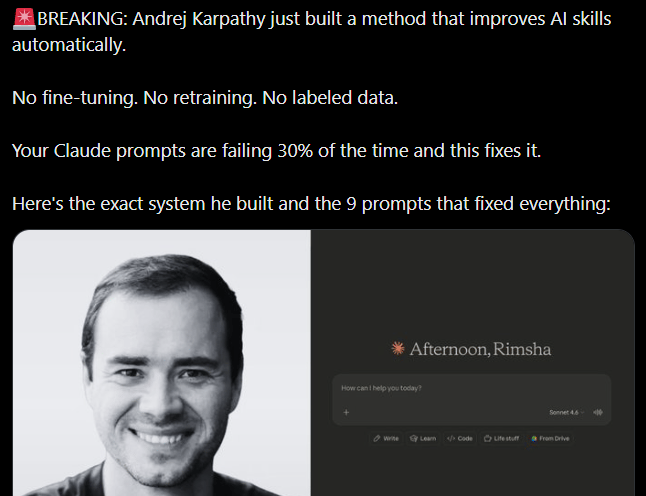
A concise, practical thread showing how to design robust prompts that minimize AI failures, inspired by Andrej Karpathy’s approach to building reliable systems. It walks through a lightweight, production‑ready prompt system—no fine‑tuning required—covering core principles, defensive patterns, stress‑testing techniques, and quick fixes for common drift and hallucination issues.
Featured AI Video
If You’re Ambitious but Unfocused, AI Can Make You Dangerous
Want Weekly Creator Playbooks to Grow on Social?

Want to stand out and grow your social presence? Join 10K+ creators getting weekly playbooks to build a creator business that pays.
Unlock $10,000+ Worth of F-R-E-E Creator Blueprints, including: 👇
|
|