- AI PlanetX
- Posts
- Microsoft Unveils Copilot Cowork

In partnership with


Welcome to another edition of AI PlanetX.
Microsoft and Anthropic launch an autonomous AI copilot for Teams; Anthropic sues Pentagon over AI blacklisting, while Meta upgrades Vibes into a full web-based video studio.
Inside This Edition: 💎
Hottest AI News
Top AI & SaaS Tools
AI Tutorial: Detect Scams with ChatGPT
Top AI & Tech News
AI Art Spotlight
Prompt of the Day: Alex Hormozi Prompt for Sales
Featured AI Video
Launch Newsletter & Make $20K/Month
Hottest AI News
Microsoft
Microsoft Teams Up With Anthropic To Launch Autonomous AI Copilot Cowork

Microsoft launched Copilot Cowork in Microsoft 365 Copilot Wave 3, turning AI into a digital teammate that handles multi‑step work across core apps using company context.
Details:
You describe your goal once, and it automatically plans and executes tasks like pulling financial data, building pitch decks, drafting documents, and scheduling meetings across your apps
While it works independently, it establishes natural checkpoints to ask for clarification, allowing you to review actions, modify drafts, and approve steps so you never lose control
The entire process runs strictly within Microsoft 365’s protected cloud sandbox, guaranteeing that enterprise data boundaries, user permissions, and compliance policies are enforced
Microsoft's Charles Lamanna described this shift as moving from "babysitting every step" to a powerful "fire and forget" workflow.
Dictate code. Ship faster.

Wispr Flow understands code syntax, technical terms, and developer jargon. Say async/await, useEffect, or try/catch and get exactly what you said. No hallucinated syntax. No broken logic.
Flow works system-wide in Cursor, VS Code, Windsurf, and every IDE. Dictate code comments, write documentation, create PRs, and give coding agents detailed context- all by talking instead of typing.
89% of messages sent with zero edits. 4x faster than typing. Millions of developers use Flow worldwide, including teams at OpenAI, Vercel, and Clay.
Available on Mac, Windows, iPhone, and now Android - free and unlimited on Android during launch.
Anthropic
Anthropic Sues Pentagon to Block National Security Blacklisting

Anthropic sued Department of Defense, Defense Secretary Pete Hegseth, and Trump administration over the Pentagon’s rare “supply-chain risk” blacklist, which restricts its tech and risks hundreds of millions in defense contracts.
Details:
The conflict stems from Anthropic refusing to remove Claude AI safety guardrails, blocking use in mass surveillance or autonomous weapons, which the US Defense says interferes with operations linked to Iran
Anthropic calls the blacklist unconstitutional retaliation, violating its First Amendment and due process rights, and says the government must use less restrictive measures for supply chain risks
After President Donald Trump ordered phasing out federal use—threatening $200M contracts—Anthropic warned of economic harm, though CEO Dario Amodei said commercial work won’t be affected
While the Department of Defense has declined to comment on active litigation, Anthropic insists it does not want to fight the government.
Top AI & SaaS Tools
TeamPal (Life-time Deal): No-code platform that creates and deploys AI agents trained on your documents and integrations to automate business tasks
Google Stitch: Added Gemini 3.1 Pro, boosting reasoning, detail, and quality for Vibe Design—handling large design systems, complex interfaces, and precise layouts [F-R-E-E]
Dex: AI analytics tool that connects to your databases and answers natural-language questions about your company data [F-R-E-E]
Claude Marketplace: Anthropic’s hub that lets businesses discover and add Claude-powered tools from partners like Replit, GitLab, and Harvey into Claude workflows
OpenClaw: Latest update adds GPT-5.4 and Gemini 3.1 Flash-Lite, durable ACP bindings, slimmer Docker builds, pluggable context engines, HEIF support, and Zalo fixes
Here's how I use Attio to run my day.

Attio's AI handles my morning prep — surfacing insights from calls, updating records without manual entry, and answering pipeline questions in seconds. No searching, no switching tabs, no manual updates.
AI Tutorial
How to Spot Scams in Seconds With Malwarebytes in ChatGPT

Scams are more advanced and harder to spot than ever. With Malwarebytes inside ChatGPT, you can quickly review links, emails, numbers, messages, and screenshots before you interact with them.
Turn on Malwarebytes
Launch ChatGPT and go to Settings → Apps. Search for Malwarebytes, then enable the integration. You need to do this once.
Start fresh chat
Enter a fresh chat so the request is clean and easy to follow.
Add items to verify
Paste or upload the suspicious content you want checked:
A link or domain
An email address, sender details, or the full email text
A message or SMS that includes an unknown number
Ask Malwarebytes to run check
Type a clear command that tells the tool what to do.
Example prompts:
“Malwarebytes, scan this link and tell me if it’s risky: [paste]”“Malwarebytes, verify this sender and message for scam signs: [paste]”Make sure app activates
You should see the integration activate in the prompt bar. If it doesn’t, press the + icon and select Malwarebytes from the drop-down menu.
Read results like checklist
Malwarebytes will scan the details and return info such as:
Who the sender appears to be
Threat intelligence signals tied to the content
It may also flag common scam tactics like urgency, fake links, impersonation, or credential harvesting.
Report to improve future detections
After you get the evaluation, you can tap on “Report as suspicious” to report:
Texts or messages
Phone numbers
Emails
Note: If a message asks for passwords, OTP codes, or payment info, assume it’s a scam and verify through an official channel.
Top AI & Tech News
Meta’s Vibes is becoming a full web-based video creation studio with project workflows and editing tools, though output quality still needs improvement
Qualcomm has partnered with Neura Robotics to integrate advanced AI chips and software, aiming to accelerate the development of next-generation, real-world-capable robots
X (formerly Twitter) added a toggle in its iOS image upload settings labeled to “block modifications by Grok,” but it doesn’t actually stop the Grok chatbot from editing photos
AI Art Spotlight

Create Your Own Photo Like This Using the Prompt Below:
Create a deeply atmospheric and cinematic interior shot captured from a slightly low-angle perspective, looking forward from an empty seat in a dimly lit bus. The primary subject is this man seated a few rows ahead, looking directly back at the camera with a subtle, intense gaze. He wears a dark puffy winter jacket and has the hood of a light blue-grey hoodie pulled up over his head, partially obscuring his face and casting his eyes in shadow, adding a sense of mystery. The overall color grading is cool and desaturated, dominated by deep teal, dark blues, and muted greens, lending a melancholic or introspective mood. The interior of the bus is sparsely lit, with artificial lights casting soft, localized glows and deep shadows. The seats in the foreground, upholstered in faded teal fabric with abstract yellow patterns, are in soft focus, guiding the eye toward the subject. Through the windows, blurred reflections of city lights and the exterior environment are visible, creating a sense of movement and urban isolation. The man’s skin tone (taken from the reference image) is rendered with natural texture, visible through the cool-toned lighting. The lighting emphasizes the contours of his face and the folds of his clothing, creating a sense of depth and realism within the muted palette. This shot would likely use a relatively slow shutter speed (e.g., 1/60 or 1/30 of a second) and a moderately wide aperture (e.g., f/2.8–f/4) to capture the low light and atmospheric blur.Model: Nano Banana 2
Prompt of the Day
Alex Hormozi Level Prompt for Growth and Sales
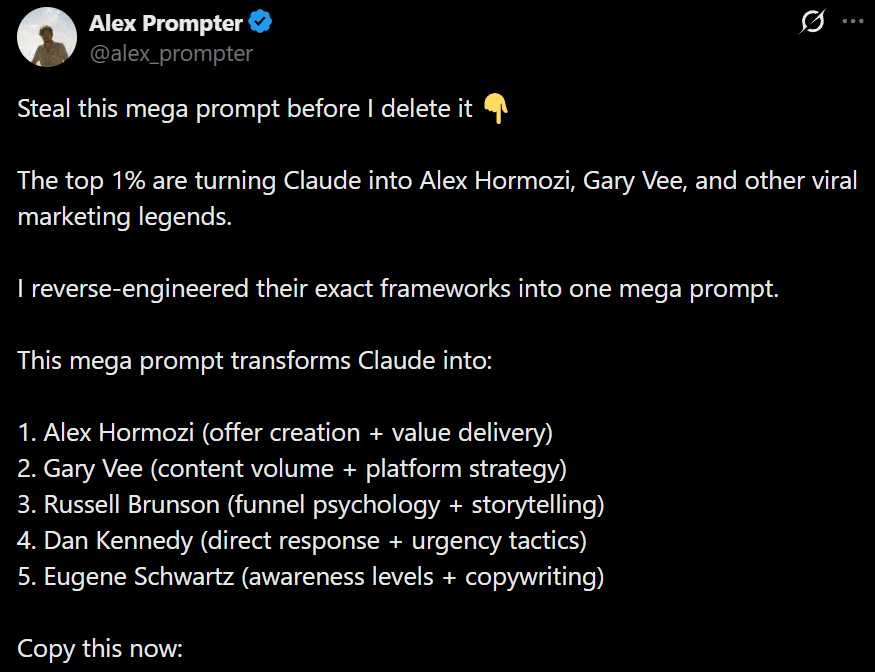
This prompt, inspired by Alex Hormozi, turns your AI into a top‑tier marketing brain that builds irresistible offers, creates high‑volume content, and converts attention into revenue using proven frameworks for offers, funnels, urgency, and platform‑native execution.
Featured AI Video
Common Mistakes in Vibe‑Coded Websites (Made with AI)
Free, private email that puts your privacy first

Proton Mail’s free plan keeps your inbox private and secure—no ads, no data mining. Built by privacy experts, it gives you real protection with no strings attached.
