- AI PlanetX
- Posts
- OpenAI Denies Testing Ads

In partnership with


Welcome to another edition of AI PlanetX.
OpenAI pauses AI app suggestions after “ad-like” backlash; 69% of workers hide AI use; Trump plans federal rulebook to block state AI laws.
Inside This Edition: 💎
Hottest AI News
Top AI & SaaS Tools
AI Tutorial: Build High Converting Landing Page in 5 Min
Top AI & Tech News
AI Art Spotlight: Nano Banana Pro Guide
Prompt of the Day: Prompt to Upgrade Any AI Output
AI Video Tutorial
Launch Your Newsletter & Make $20K/Month
Hottest AI News
OpenAI
OpenAI Pauses App Suggestions After Users Complain They Look Like “Ads”

OpenAI has officially paused a controversial feature in ChatGPT that offered "app suggestions" for specific brands, following a wave of backlash from paying subscribers who accused the company of sneaking in advertisements.
Details:
Executives strongly denied that any live ad testing is happening. They said the Peloton and Target prompts were only meant to highlight third-party apps with no financial ties. Still, many users remained skeptical
Leaders admitted the rollout fell short of expectations. They said anything that feels like an ad must be handled carefully. The feature has been disabled while they improve precision and add opt-out controls
The move comes as reports claim CEO Sam Altman issued a code red to focus on core model quality. This has slowed any push into advertising, even after hiring several big names to build that part of the business
While the company maintains that any future advertising will be approached thoughtfully to respect user trust, this rapid reversal signals a return to focus on product performance over promotional experiments.
Learn how to make every AI investment count.
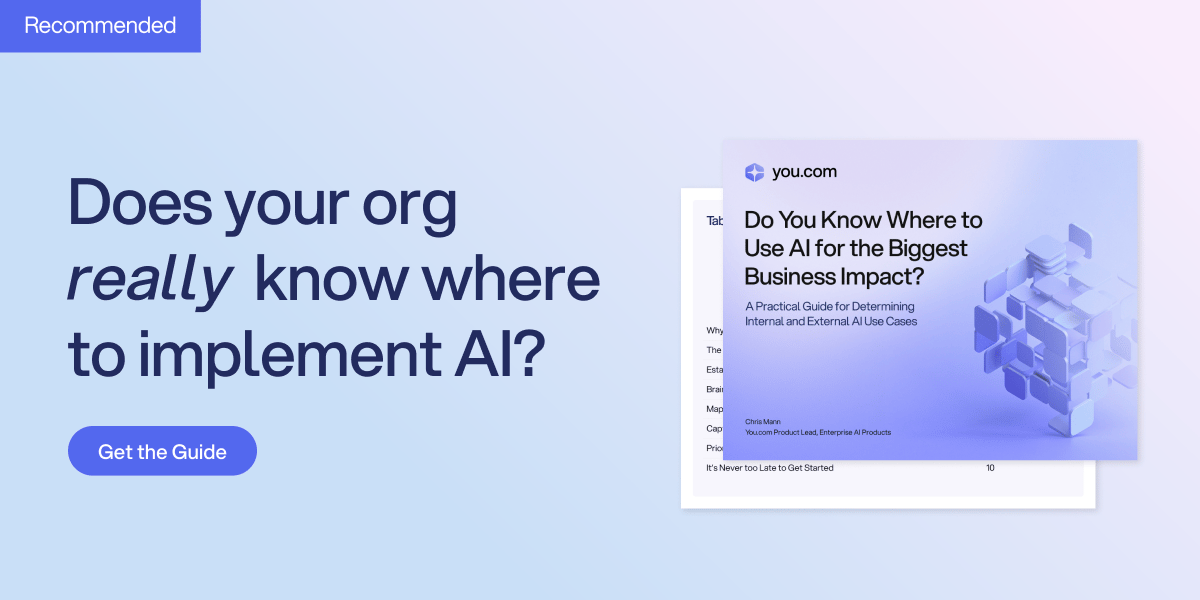
Successful AI transformation starts with deeply understanding your organization’s most critical use cases. We recommend this practical guide from You.com that walks through a proven framework to identify, prioritize, and document high-value AI opportunities.
In this AI Use Case Discovery Guide, you’ll learn how to:
Map internal workflows and customer journeys to pinpoint where AI can drive measurable ROI
Ask the right questions when it comes to AI use cases
Align cross-functional teams and stakeholders for a unified, scalable approach
AI and Job Security
Anthropic Study Reveals 69% Of Workers Hide AI Use

A study from Anthropic reveals a massive contradiction in the modern workplace: while professionals rely on AI daily to boost productivity, a staggering 69% hide their usage due to fear and social stigma.
Details:
Most workers say AI saves them time — 86% overall and 97% of creatives. But many hide their usage to avoid judgment or the fear that employers might replace them once they reveal how much is automated
Employees want AI to remove repetitive admin work so they can focus on meaningful tasks. But leaders often use AI’s efficiency to justify layoffs and budget cuts, especially in large tech companies
Different fields face different risks. Creatives worry about losing control over their work. Scientists don’t trust AI for core research. And as entry-level tasks get automated, junior workers may struggle to find a place in the industry
Workers feel forced to use AI to stay competitive, yet fear the same tools boosting their output are making their jobs obsolete.
Top AI & SaaS Tools
Bit Assist (Life-time Deal): Messaging plugin that turns visitors into leads by connecting 20+ channels (Messenger, WhatsApp, Telegram, Viber, Slack, Tawk, etc.) through one button
SciSpace BioMed Agent: AI agent that uses 150+ tools and 100+ databases to analyze biomedical data and design experiments for research and therapeutic discovery [F-R-E-E]
Claude Haiku 4.5: Cheaper model that matches or exceeds the capabilities of pricier models on many coding and computer-interaction tasks [F-R-E-E]
CyberCut: Quickly create viral, social-ready videos with automated editing and AI-powered tools for content and marketing [F-R-E-E]
Strater: Convert YouTube videos, PDFs, and websites into structured, interactive learning experiences using context-aware LLMs [F-R-E-E]
200+ AI Side Hustles to Start Right Now
While you were debating if AI would take your job, other people started using it to print money. Seriously.
That's not hyperbole. People are literally using ChatGPT to write Etsy descriptions that convert 3x better. Claude to build entire SaaS products without coding. Midjourney to create designs clients pay thousands for.
The Hustle found 200+ ways regular humans are turning AI into income. Subscribe to The Hustle for the full guide and unlock daily business intel that's actually interesting.
AI Tutorial
How to Build a High Converting Landing Page in 5 Minutes with Replit

If you struggle with landing page builders or hate spending hours tweaking layouts, Replit’s Design Mode can help. It generates a custom, professional-looking page—no coding needed.
Prepare landing page blueprint
Start by generating a structured prompt in any AI chat tool. Include:
Your brand or product name
Ideal audience
Core offer
Conversion goal (signups, purchases, bookings)
Required page sections
Desired visual style and mood
Preferred CTA style and placement
Collect visual inspiration
Look for landing page designs you admire on Behance, Dribbble, Awwwards, or even top SaaS websites. Take a clean screenshot of the layout you'd like to emulate.
Translate inspiration into refined prompt
Upload the screenshot to your AI chat tool and ask it to rewrite your original prompt to match the style, structure, and spacing of the design you selected.
This helps the final output feel modern and consistent rather than generic.
Set up workspace inside Replit
Log into your Replit account, start a new project, and switch to the Design tab. Paste your updated prompt into the input box.
Generate landing page structure
Tell Replit:
“Create a responsive, single-page landing site using the instructions I provided. Include relevant assets and keep the layout clean.”Replit will produce ready-to-edit sections including hero, features, social proof, and CTA.
Customize content
Refine key elements so the page feels authentic to your business:
Replace placeholder testimonials with real social proof
Swap in your logos, brand colors, and product screenshots
Add or adjust your CRM/lead form, buttons, and microcopy
Final review and launch
Scan your page for mobile responsiveness, consistency, and loading speed. Once satisfied, publish directly from Replit and connect your custom domain to make it live.
Note: Replace every placeholder icon or image with real brand visuals to strengthen trust and increase overall credibility.
Top AI & Tech News
Trump said he’ll sign an order this week to block state AI laws and create one federal “rulebook,” saying 50 different state rules would hurt U.S. AI leadership
Researchers at KAIST made OmniPredict, an AI that uses images and context to accurately predict what pedestrians will do so self-driving cars can react more safely
SoftBank and Nvidia may join a $1+ billion funding round for Skild AI, which could value the robotics foundation-model startup at about $14 billion
OpenAI is rushing the early release of GPT-5.2 after Sam Altman declared a “code red” following Google’s Gemini 3 outperforming ChatGPT
AI Art Spotlight
Nano Banana Pro Prompting Guide by fofr

This guide walks you through how to get the most out of Nano Banana Pro, a highly capable image model that responds well to both simple prompts and very detailed, structured ones.
It shows you how to experiment your way into good results, how to use both positive and negative prompting (including JSON-style prompts) to steer composition, style, and text, and how to work with reference images for consistent characters, branding, and custom objects.
Prompt of the Day
Prompt Workflow That Upgrades Any AI Output
This prompt is a professional system that transforms rough ideas into optimized AI prompts. It uses a 4D process to analyze your input, identify gaps, clarify objectives, and restructure the task. It then applies targeted optimization techniques to rebuild your prompt into a precise, high-performance version that delivers cleaner, smarter outputs across ChatGPT, Claude, Gemini, or any AI model.
