- AI PlanetX
- Posts
- OpenAI Rolls Out Targeted Ads

In partnership with


Welcome to another edition of AI PlanetX.
ChatGPT adds ads, Goldman predicts AI could automate 25% of work hours, and Musk launches a $134B legal fight with OpenAI.
Inside This Edition: 💎
Hottest AI News
Top AI & SaaS Tools
AI Tutorial: Create Personalized Podcast with 11Labs
Top AI & Tech News
AI Art Spotlight
Prompt of the Day: OpenAI Prompt Pack for Every Job
AI Video Tutorial
Weekly Creator Playbooks to Grow on Social
Hottest AI News
OpenAI
OpenAI Officially Bringing Targeted Ads to ChatGPT Non‑Paid and Go Tiers
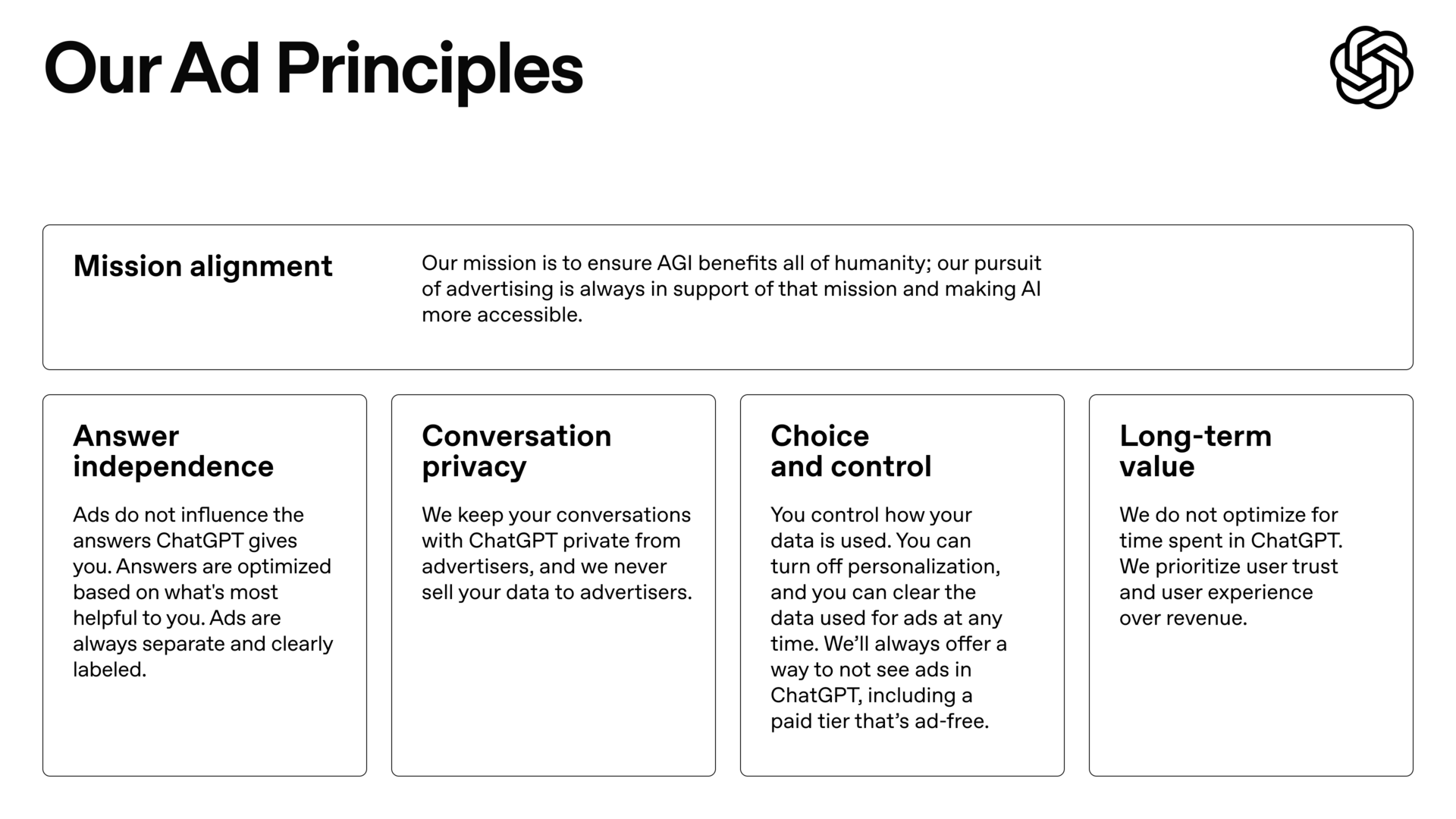
OpenAI has officially announced that targeted advertising is coming to ChatGPT in the U.S., a major shift in business model aimed at generating revenue to sustain free tier while supporting its $500 billion valuation.
Details:
Testing begins for users on the F-R-E-E tier and the $8/month "Go" plan, where ads will appear at the bottom of the interface based on conversation topic, while Plus, Pro, Business, and Enterprise subs won’t see them
Users will retain control over their experience with the ability to dismiss specific ads, view explanations for why an ad was shown, and turn off personalization features
The company has strictly committed to "answer independence," promising that advertisers cannot influence AI's responses, user data will never be sold to third parties, and no ads will be served to users under 18
CEO Sam Altman likens the approach to Instagram’s discovery model, aiming for ads to be useful rather than intrusive, and presents this strategy as essential to OpenAI’s mission of developing AGI.
Vibe code with your voice

Vibe code by voice. Wispr Flow lets you dictate prompts, PRDs, bug reproductions, and code review notes directly in Cursor, Warp, or your editor of choice. Speak instructions and Flow will auto-tag file names, preserve variable names and inline identifiers, and format lists and steps for immediate pasting into GitHub, Jira, or Docs. That means less retyping, fewer copy and paste errors, and faster triage. Use voice to dictate prompts and directions inside Cursor or Warp and get developer-ready text with file name recognition and variable recognition built in. For deeper context and examples, see our Vibe Coding article on wisprflow.ai. Try Wispr Flow for engineers.
AI and Job Security
Goldman Sachs Predicts AI Could Automate 25% of All Work Hours

Goldman Sachs research examines AI job displacement fears. Analysts Joseph Briggs and Sarah Dong say that despite expected disruption, historical trends suggest a more positive long-term outlook.
Details:
Based on Department of Labor data, AI could automate 25% of work hours. The forecast: 6-7% of jobs displaced, raising peak unemployment by 0.6 percentage points, or 1 million workers
The report notes that tech historically drives job growth. At present, 40% of workers hold jobs from 85 years ago. AI is expected to create more roles while eliminating others
Fundstrat's Tom Lee compared this to 1920s frozen foods, which cut farm labor from 40% to 2%. Instead of collapse, technology freed people for more productive work
Like the shift from horses to engines, AI may cause short-term disruption but will likely redirect people to different work rather than make them obsolete.
Top AI & SaaS Tools
Laxis AI (Life-time Deal): AI-powered B2B lead gen with 325M verified contacts, firmographic and funding data, plus a real-time AI agent that finds fresh, outreach-ready insights
PlanEat App: AI converts your health data and dietary rules into a single realistic weekly meal plan with a grouped shopping list — no prompting, copying [F-R-E-E]
Kimi Slides: Slide-generation tool integrates with Nano Banana Pro for agentic search, file-to-slide conversion with PPTX export, and designer-quality visuals [F-R-E-E]
PostSyncer: Manage social accounts and clients across 10+ platforms with scheduling, engagement, viral content inspiration, and built-in AI media gen [F-R-E-E Trial]
LFM 2.5: Liquid AI released a ~1B-parameter on-device model family with better quality, lower latency, broader modality support, and stronger instruction following [F-R-E-E]
Free email without sacrificing your privacy
Gmail tracks you. Proton doesn’t. Get private email that puts your data — and your privacy — first.
AI Tutorial
How to Build a Personalized Podcast with ElevenLabs
If you want to build a podcast that sounds polished without expensive gear, you’re in the right place. This guide walks you through selecting an AI voice, shaping it with SSML, and producing clean audio that’s ready to publish.
Define Concept
Decide your theme, angle, and audience, then prepare a simple 2–5 minute script. Keep sentences clear so the AI voice reads naturally.
Sign Up and Explore Voices
Create an account on ElevenLabs and browse the Voice Lab. Choose a built-in voice or upload a consented sample to clone your own.
Test at least 2 voice options
Save your best presets for future episodes
Convert Script to SSML
Turn your script into SSML to control pace, emphasis, breaths, and tone.
Example updated SSML snippet:
<speak> <p><emphasis level="moderate">Welcome to our first session.</emphasis></p> <break time="450ms"/> <voice name="custom-voice"> Hi, I’m Altiam. In this session, we look at how AI improves storytelling. <break time="300ms"/> <prosody rate="0.93">Let’s begin.</prosody> </voice> </speak>Test and Refine Delivery
Generate short 10–20 second previews and adjust prosody, pitch, pauses, and punctuation until it sounds natural.
Slow down the rate if speech feels rushed
Increase emphasis if the tone feels flat
Generate Podcast Segments
Paste your SSML or text into Studio and create each part separately:
Intro
Content blocks
Sponsor message
Outro
This gives you flexibility to re-record parts and use voice variations for subtle emotion changes.
Edit and Add Final Touches
Download the audio files and use Descript, Audacity, or any editor to trim silence, clean artifacts, balance volume, and add gentle background music or transitions. Keep edits minimal but polished.
Export and Publish
Export as MP3 (or WAV for quality) and upload to Spotify for Podcasters, Buzzsprout, or Podbean. Add a short episode description and share your link across platforms.
Note: If a word is mispronounced, spell it phonetically in SSML or add a custom pronunciation rule in ElevenLabs.
Top AI & Tech News
Elon Musk is seeking $79–$134 billion from OpenAI and Microsoft, claiming OpenAI violated its nonprofit mission and misled him after his $38 million donation in 2015
Signal co‑founder launches Confer, a privacy‑first AI chat that uses WebAuthn and TEEs to keep conversations out of hosts’ hands, unlike ChatGPT
Demis Hassabis, CEO of Google DeepMind, told CNBC that Chinese AI models are closer to U.S. capabilities than previously thought—possibly “months” behind
AI Art Spotlight
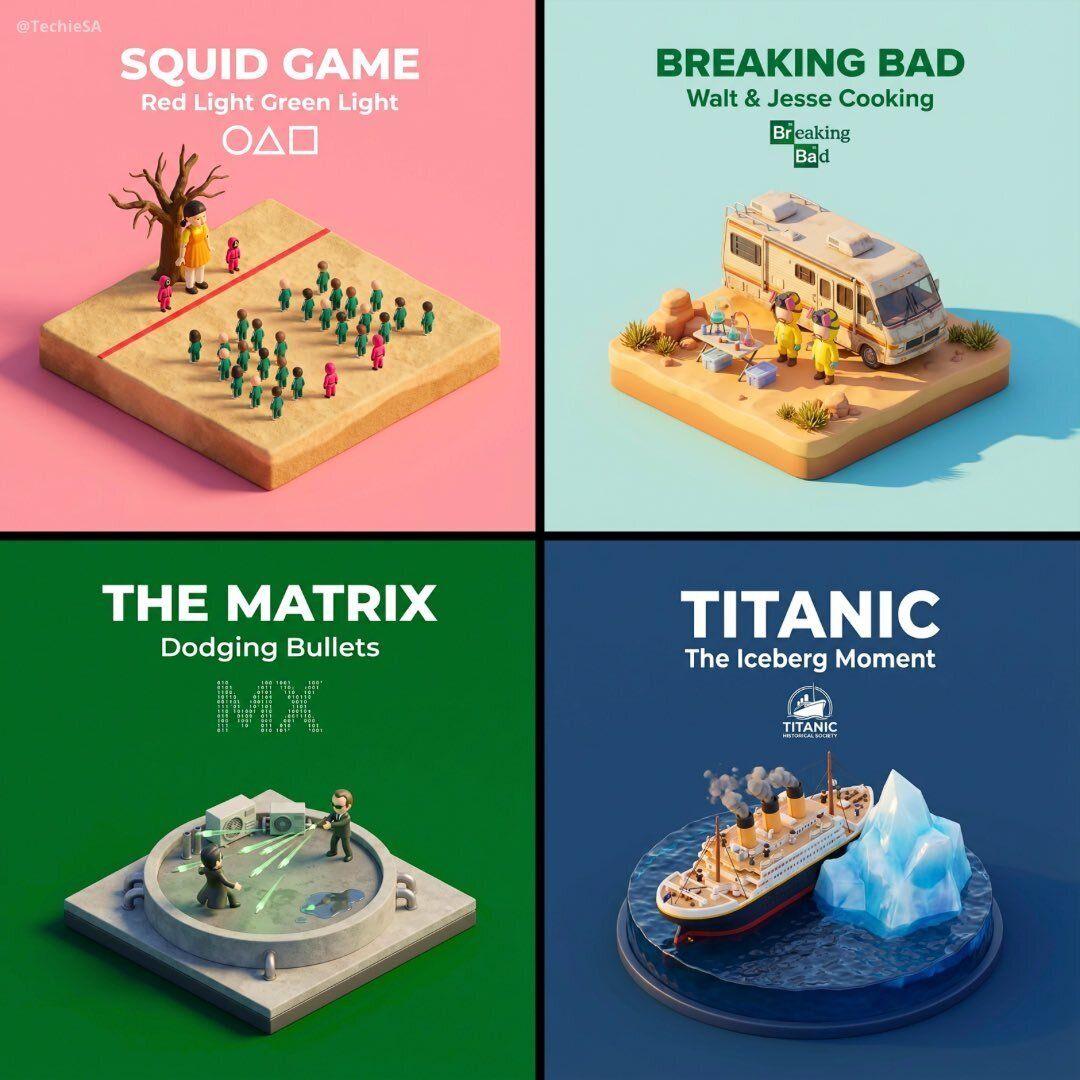
Create Your Own Photo Like This Using the Prompt Below:
Present a clear, 45° top-down isometric miniature 3D cartoon scene of the iconic scene [SCENE NAME] from [MOVIE/SHOW], with soft refined textures, realistic PBR materials, and gentle lifelike lighting.
Create a small raised diorama-style base that includes the most recognizable elements of this scene, along with tiny stylized characters if needed (no facial details).
Use a clean solid [BACKGROUND COLOR] background.

At the top-center, display [MOVIE/SHOW] in large bold text, directly beneath it show [SCENE NAME] in medium text, and place the official logo associated with [MOVIE/SHOW] below the subtext.
All text must automatically match the background contrast (white or black).

Composition: perfectly centered layout, square 1080x1080, ultra-clean, high-clarity diorama aesthetic.
Model: Nano Banana Pro
Prompt of the Day
OpenAI Prompt Pack for Every Job — 300+ Ready Prompts
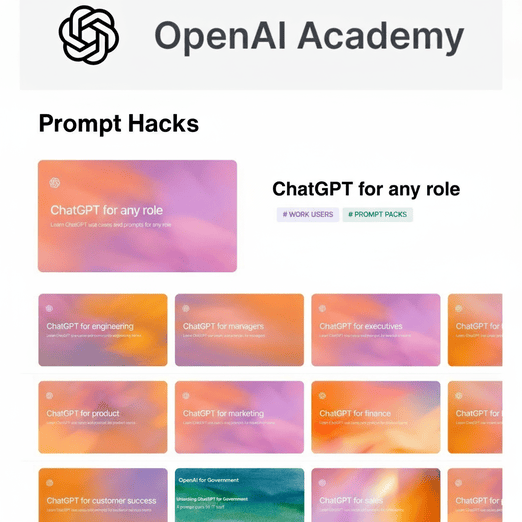
A curated set of 300+ practical prompts to speed daily work across IT, sales, product, engineering, marketing, operations, and leadership—ready to use for writing specs, drafting emails, generating outreach, debugging code, and preparing agendas and strategic briefs to reduce repetition, improve consistency, and scale expertise.
Top AI Video Tutorial
Don’t Waste Money: Which AI Subscription Is Worth It?
Want Weekly Creator Playbooks to Grow on Social?

Want to stand out and grow your social presence? Join 10K+ creators getting weekly playbooks to build a creator business that pays.
Unlock $10,000+ Worth of F-R-E-E Creator Blueprints, including: 👇
|
|